Claude Design review — Anthropic's new AI design tool: a threat to Figma and Canva?
Contents
A look at Claude Design, the new product Anthropic unveiled on April 17, 2026. This tool creates prototypes, slides, and landing pages from text prompts and conversation alone. We cover what it means for designers and non-designers alike, plus pricing, key features, pros and cons, and a comparison with competing tools.
Basic information
| Item | Details |
|---|---|
| Developer | Anthropic (Anthropic Labs) |
| Release date | April 17, 2026 (Research Preview) |
| Underlying model | Claude Opus 4.7 (vision model) |
| Price | Included in Claude Pro / Max / Team / Enterprise subscriptions (from Pro at $17–20/month) |
| Official site | https://claude.ai (available to Claude Pro subscribers and above) |
| Category | AI design and prototyping tool |
| Supported platforms | Web browser (desktop and mobile apps not yet supported) |
Key features
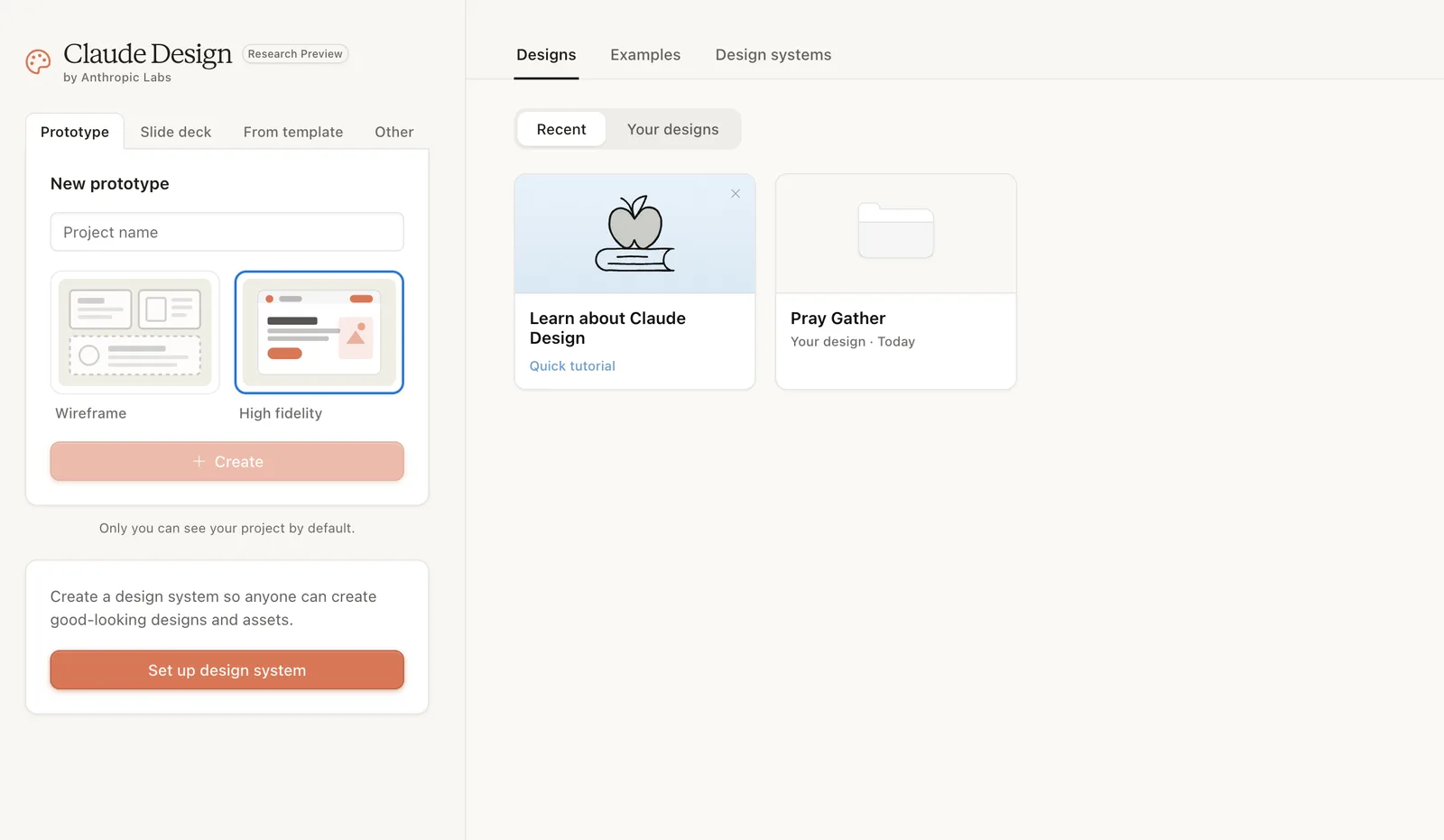
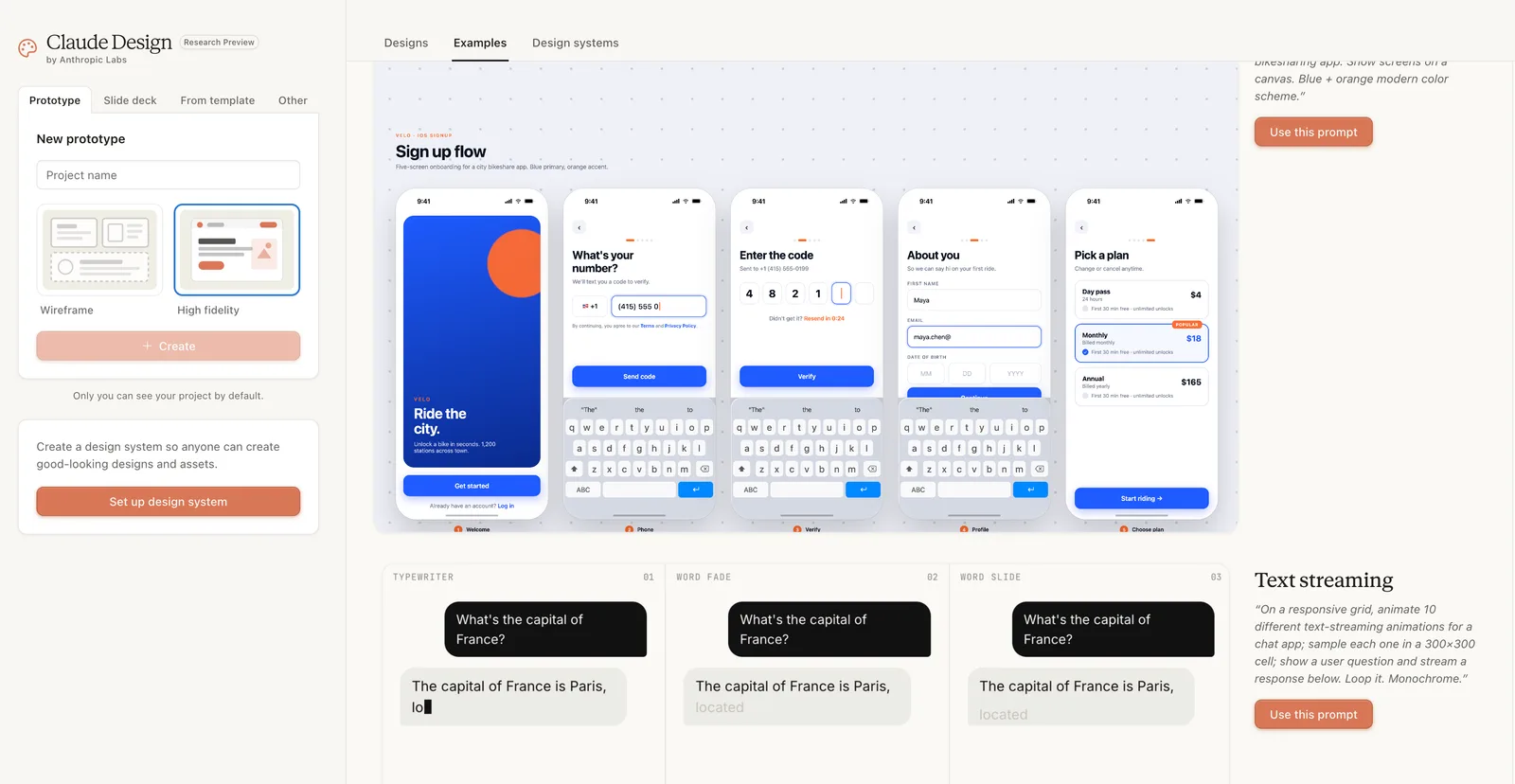
- Conversational design generation: Generates mobile app onboarding, landing pages, dashboards, forms, and more in one go from a text prompt. A natural-language description like 'Make a prototype for a calm meditation app, with muted colors and a clean layout' produces a first draft.
- Inline comments and slider editing: Click a specific element on the canvas to leave a direct edit request, or adjust spacing, color, and layout in real time with sliders.
- Automatic design system learning: Reads a company's codebase and design files and automatically applies brand colors, typography, and components. It also supports one team running multiple design systems at the same time.
- Varied import options: Input sources are broad: text, images, DOCX/PPTX/XLSX documents, code repository links, and even a website capture tool.
- Interactive prototypes: Converts static mockups into clickable dynamic prototypes so user testing is possible without a code review.
- Claude Code handoff: Supports bundled output that hands design work to Claude Code to convert it into real production code.
- Multiple export formats: Results can be shared as PDF, PPTX, HTML, Canva, internal organization URLs, or folders.
Pricing
Claude Design is not a separate plan; it is included in existing Claude subscriptions.
| Plan | Price | Claude Design availability |
|---|---|---|
| Free | $0 | ❌ Not available |
| Pro | $17/month (annual) or $20 (monthly) | ✅ Research Preview access |
| Max 5x | $100/month | ✅ More usage |
| Max 20x | $200/month | ✅ Most usage |
| Team | $20/seat/month (annual) | ✅ Enabled by default |
| Enterprise | Custom quote | ✅ But off by default (requires admin setup) |
As it is currently at the Research Preview stage, token consumption tends to be higher than regular chat, and there are user reports that usage limits are calculated somewhat differently from regular chat.
Pros
- Fast brief-to-prototype cycle: Datadog's product team said 'the brief-mockup-review round that used to take a week has been compressed into a single conversation'. The Brilliant team said it 'reproduced in just two prompts a complex page that needed more than 20 prompts with other tools'.
- Automatic design system application: Once a brand guide is learned, it is applied consistently to every subsequent project, greatly reducing the burden of maintaining design consistency.
- Non-designer friendly: Founders, product managers, marketers, and others without a design background can quickly produce 'something to show'.
- Integration with Claude Code: Being able to go from design to prototype to production code in a closed loop inside the Anthropic ecosystem is the key differentiator from other design AIs.
- Canva compatibility: Results can be sent straight to Canva for editing. Anthropic positions itself as complementary to Canva rather than a competitor.
Cons / drawbacks
- Instability of the Research Preview stage: Inline comments occasionally disappear, and save errors can occur in compact view. Browser lag has also been reported when connecting a large monorepo.
- High token consumption: Because Opus 4.7 processes large images (up to 2,576 pixels wide), tokens are consumed faster than in regular chat. One review reported cases where additional tokens were deducted even though session limits remained.
- No desktop or mobile apps: Currently usable only in a web browser.
- Free plan excluded: There is no way to try it for free, creating a barrier to entry.
- Limits on the 'data visualization accuracy' of first drafts: One hands-on reviewer noted that 'it produces visually interesting results well, but visualizations that convey data accurately needed human judgment'.
- Korean UI support unconfirmed: The official documentation does not state whether a Korean interface is supported, so Korean users will most likely have to work in the English UI.
Recommended for
- ✅ Developers already using Claude Code: When stuck at the design stage, you can visualize immediately and hand it back to code, making the workflow smooth.
- ✅ Startup founders and PMs who need fast prototypes: Demo screens can be made in a short time without outsourcing.
- ✅ Roles that frequently need marketing materials and pitch decks: PPTX export and Canva integration are strengths.
- ✅ Mid-sized teams where design system consistency matters: A brand guide set up once is applied automatically.
- ❌ Designers whose main work is advanced graphics and illustration: It cannot replace the precise vector editing of Figma or Adobe Illustrator.
- ❌ Claude free plan users: It cannot be used without a paid subscription.
Competitor comparison
| Item | Claude Design | Figma + Figma Make | Canva (Magic Studio) |
|---|---|---|---|
| Price | Included in Claude Pro at $17–20/month | Figma Pro $15–16/month | Canva Pro $14.99/month |
| Strengths | AI conversation-based generation, code handoff | Precise vector editing, collaboration | Fast template-based creation |
| Interactive prototypes | ✅ Auto-generated | ✅ Manual setup | △ Limited |
| Automatic design system learning | ✅ Reads the codebase directly | △ Manual registration | ❌ |
| Code output quality | ✅ Claude Code integration | △ Dev Mode available | ❌ |
| Korean UI | ❓ Unconfirmed | ✅ Supported | ✅ Supported |
| Free use | ❌ | ✅ Partially | ✅ Yes |
Anthropic has said it is not competing directly with Figma and Canva, but the industry sees it differently. That Anthropic CPO Mike Krieger resigned from Figma's board on April 14, just before the Claude Design launch, is being read as significant by the market.
Verdict
Rather than 'a new category of design tool', Claude Design is closer to a strategic product that fills the gap between design and development inside the Claude ecosystem. It does not replace Figma's precise editing or Canva's rich templates, but the workflow of 'getting from idea to a working prototype in under 30 minutes' is a clear advantage.
It is a natural extension for Claude Code users in particular, and the barrier to entry is low even for founders and PMs without a design background. That said, its Research Preview status, fast token consumption, and uncertain support for the Korean environment are things to check before full adoption.
If you already subscribe to Claude Pro or above, you can try it at no extra cost, so the best way to evaluate it is to pick one new project and put your own prompts in.
Rating: ⭐⭐⭐⭐☆ (4.0/5) — Five stars for potential, considering the Research Preview stage
Contents
Related posts

The complete guide to Claude Code Agents — from subagents to Agent View (2026)
Anthropic's Claude Code is evolving beyond a simple coding assistant into a multi-agent development platform. Subagents, Agent View, and Agent Teams — a systematic rundown of Claude Code's agent features.
Claude AI review — ChatGPT's real rival, an AI chatbot strong at writing and document work
A hands-on look at Claude, the AI chatbot from Anthropic: core features, pricing, pros and cons, and Korean-language performance. An honest take on how it differs from ChatGPT and Gemini and who it suits best.